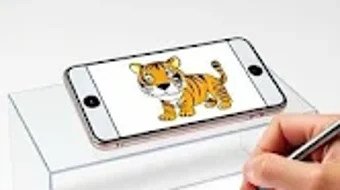

Download AR Draw Magic Sketch Paint – AR drawing, sketching app, painting in AR, 3D drawing, augmented reality art, creative tool, digital art, doodle app, AR sketch, AR painting
Overview
AR Draw Magic Sketch Paint is an innovative augmented reality application designed for Android users, offering a unique platform for creative expression through digital art in real-world environments. The software enables individuals to sketch and paint in three-dimensional space using their device’s camera, blending physical surroundings with digital creativity. It is tailored for artists, hobbyists, and casual users interested in exploring interactive and immersive art experiences.
The app allows users to draw directly onto their surroundings, transforming everyday spaces into dynamic canvases. This functionality supports real-time visualization of artwork within the user’s environment, enhancing engagement and artistic experimentation. The software is intended for lifestyle use, focusing on entertainment, personal expression, and creative exploration.
It empowers users to create and share digital artworks seamlessly, with built-in tools for saving and exporting content. The developer did not provide additional information about the company or its background. Real-world usage scenarios include decorating living spaces, creating temporary art installations, or simply enjoying a novel form of doodling.
The app’s purpose is to make digital art accessible and engaging through augmented reality, appealing to a broad audience interested in innovation and self-expression.
Key Features & Capabilities
- Augmented Reality Drawing: Utilizes the device’s camera to project digital sketches and paintings into physical spaces, allowing users to draw in 3D environments.
- Interactive Art Creation: Supports real-time rendering of artwork, enabling users to see their creations evolve as they draw.
- Diverse Art Tools: Offers a selection of brushes, colors, and styles to customize the drawing experience and support various artistic techniques.
- Artwork Saving and Sharing: Allows users to save their creations locally and share them directly on social media platforms.
- Immersive User Experience: Designed with a user-friendly interface to simplify navigation and promote intuitive interaction with AR elements.
These features support a range of practical applications, such as visualizing artwork in a room before committing to a physical piece, creating temporary art installations, or experimenting with spatial design. The app’s real-time feedback loop enhances creativity by allowing immediate visual assessment of drawings in context. The ability to save and share content facilitates community engagement and personal documentation of creative work.
The software is structured to encourage spontaneous expression without requiring advanced technical skills. While specific tool functionalities are not detailed beyond the provided information, the feature set suggests a focus on accessibility and artistic freedom. Users can leverage the app for both casual doodling and more intentional creative projects, making it a versatile tool for digital artists and hobbyists alike.
User Interface, Workflow & Performance
The user interface of AR Draw Magic Sketch Paint appears to be designed with simplicity and accessibility in mind, featuring a clean layout that prioritizes core drawing functions. Navigation is likely structured around a central canvas area, with toolbars and menus positioned for easy access during use. The workflow is intended to be intuitive, allowing users to begin drawing immediately after launching the app.
The developer did not specify resource usage details, so exact performance behavior remains unclear. General software behavior patterns suggest efficient operation on modern Android devices, though actual CPU and RAM performance may vary depending on hardware. Stability and responsiveness are expected to be consistent with typical AR applications, assuming optimal device conditions.
The app may require sufficient processing power and camera access to maintain smooth rendering of AR elements. No specific information was provided about frame rates, lag, or memory consumption. The developer did not disclose any known issues or performance limitations.
Users are advised to ensure their device meets standard AR requirements for optimal experience. The app’s performance is likely optimized for real-time interaction, but exact metrics were not included in the release details.
Compatibility & System Requirements
AR Draw Magic Sketch Paint is designed to run on Android devices, as specified in the provided information. The software version is 1.0.0, with an installation size of 50 MB. The developer did not provide detailed system requirements, including minimum hardware specifications, RAM, or processor details.
Compatibility information is limited to the operating system, with no mention of specific Android versions or device types. The developer did not specify whether the app supports tablets, wearables, or other form factors. Users are encouraged to verify compatibility with their specific device model.
The app’s reliance on augmented reality functionality implies the need for a device with a functional camera, accelerometer, and gyroscope. However, exact hardware requirements were not listed. The developer did not indicate whether the app supports offline usage or requires an internet connection for core features.
Without further details, users should expect standard AR app behavior, which may include background processes and data access during operation.
Pros and Cons
Pros
- Offers a novel way to create digital art in real-world environments using augmented reality.
- Provides a variety of brushes, colors, and styles for creative customization.
- Supports real-time visualization of drawings in 3D space, enhancing artistic immersion.
- Enables users to save and share artwork easily via social media platforms.
- Designed with a user-friendly interface for intuitive navigation and quick access to tools.
Cons
- Exact system requirements were not specified, which may affect user expectations.
- Performance details such as CPU usage, frame rate, or memory consumption were not provided.
- Compatibility with specific Android versions or device types remains unclear.
- Limited information about offline functionality or internet dependency.
- No details on update frequency or long-term maintenance plans.
FAQ Section
Is AR Draw Magic Sketch Paint compatible with all Android devices?
Compatibility is confirmed for Android, but specific device or version requirements were not provided. Users should ensure their device supports augmented reality features.
Is the app safe to download and use?
As a free application available on the Android platform, AR Draw Magic Sketch Paint is expected to comply with standard security protocols. Users should download from official sources to minimize risks.
Does the app require an internet connection to function?
While core drawing features may operate offline, the ability to share artwork on social media likely requires an internet connection. Specific connectivity needs were not detailed.
Can I use AR Draw Magic Sketch Paint without creating an account?
The app does not appear to require registration or account creation. Users can access and use the software directly after installation.
How often are updates released for AR Draw Magic Sketch Paint?
Update frequency was not specified. The current version is 1.0.0, released on March 15, 2024. Future updates may be released based on user feedback and developer plans.
Final Thoughts + CTA
AR Draw Magic Sketch Paint presents a compelling blend of creativity and technology, offering Android users a unique way to explore digital art through augmented reality. Its focus on immersive, real-time drawing in physical spaces sets it apart from traditional sketching tools. The app’s intuitive interface and built-in sharing capabilities make it accessible to both casual users and creative enthusiasts.
While specific technical details such as system requirements and performance metrics are limited, the core functionality is clearly designed to promote artistic expression and user engagement. The free pricing model enhances accessibility, allowing a wide audience to experiment with AR art without financial commitment. For individuals interested in digital creativity, spatial design, or innovative lifestyle tools, this app delivers a fresh and enjoyable experience.
It stands out as a promising entry in the growing category of AR-based lifestyle applications. Download AR Draw Magic Sketch Paint now and transform your space into a canvas of imagination.





.png)

